Key Takeaways:
- AI (Artificial Intelligence) tools are being used more and more at work, but supervisors don’t always keep an eye on them.
- Nearly 10% of AI prompts for employees have private information in them, which is a very big problem.
- Businesses need to use or update their Data Loss Prevention (DLP) plans to include activities that involve AI.
- It’s important to have clear rules, train employees and use technology controls.
- For some businesses, blocking AI completely might be the best option. For others, controlled access might be better.
- There are real risks, but they can be controlled if you take the right steps.
AI (Artificial Intelligence) is no longer an idea from the far future. It’s here, and working will be different because of it. AI tools like ChatGPT, Microsoft Copilot, and others are helping people work faster and smarter by doing things like writing code, sending emails and summarizing papers. But as these tools become more commonplace in daily work, a major problem is starting to show up: employees are using AI in ways that could make private company data public.
A disturbing fact was found in a story on CSO Online: almost 10% of employee prompts to generate AI tools include private information. It includes PII (Personally Identifiable Information), PHI (Protected Health Information), and IP (Intellectual Property). These are the kinds of data that companies work hard to keep safe.
Now is the time for your company to talk about how AI is used within the organization. Developing a structured approach through AI and generative AI strategy services can help businesses identify appropriate use cases, establish governance, protect sensitive information, and implement AI in a way that supports business goals without creating unnecessary risk.
What Are the Data Security Risks of AI at Work?
Most of the time, the problem isn’t that workers are careless or mean. Most of the time, they’re just trying to get things done quickly. They could paste a customer email into an AI tool to help them write an answer, upload a spreadsheet to show trends in a nutshell, or ask the AI to use internal documentation to figure out how to fix a technical problem. Even though these things don’t seem dangerous, they can have very bad results.
Most generative AI tools are in the cloud and open to everyone. It’s not always clear where data goes, how long it’s kept, or who can see it after it’s been entered. Even platforms that say they will keep user data safe may keep it for a while or use it to make their models better if certain settings are not turned off.
This is a significant risk for businesses, especially those in regulated fields such as government, healthcare, banking, and legal services. Organizations handling sensitive health information should also understand how AI security and HITRUST assessments can help evaluate whether AI systems and related controls meet recognized security and risk-management requirements. Even one instance of data exposure could result in regulatory violations, reputational damage, or legal consequences.
Why AI Must Be Included in Data Loss Prevention Strategies
A lot of businesses already have Data Loss Prevention (DLP) plans in place. These systems are meant to keep private information inside the company by stopping email, file sharing and portable media from leaving. But a lot of DLP tools aren’t set up to find or block data that is shared with AI platforms yet, especially data that is viewed through web browsers or mobile apps.
Because of this hole in security, private information could be getting out through AI tools without any controls or alerts being set off. Organizations operating in regulated environments may also need to connect their AI controls to broader compliance and assurance frameworks. A structured approach to generative AI risk management can help businesses evaluate how AI-related controls fit within SOC 2 requirements, including security, confidentiality, availability, and data protection.
To address this, businesses need to evolve their DLP strategies to include:
- Monitoring AI tool usage across endpoints and networks.
- Limiting access to AI platforms that aren’t allowed or that pose a high risk.
- Finding secret data being uploaded to AI tools and stopping it.
- Adding risk profiles for AI to DLP rules that are already in place.
Five Steps Businesses Should Take to Manage AI Risk
If your company doesn’t already have a written plan for how to use AI, here are five steps you can take right away:
1. Make a clear policy on how to use AI.
First, make a list of what is and isn’t okay. What should your strategy say about:
- Which AI tools can be used?
- If any, what kinds of info can be given to AI?
- What kinds of jobs can AI help with, like writing emails and summarizing documents?
- What jobs (like taking care of customer info or writing legal contracts) should AI never be used for?
- What will happen if you break the rule?
The policy should be written in simple language so that workers can understand it. It should be a part of how you hire people and should be looked over often as AI tools change.
2. Teach your staff.
A lot of workers don’t mean to break the rules; they just don’t know what’s okay. That’s why training is so important.
Give talks or lessons online that describe: • How creative AI works.
- What does data that is put into AI tools do?
- Examples of data risk in the real world.
- How to use AI at work in a smart way.
- Give examples of how to use it correctly and incorrectly.
Tell your workers to look into any AI tools that seem sketchy or dangerous and to report them.
3. Get the right tools.
Tech can help you make sure your rules are followed. Update your endpoint and DLP protection tools to keep an eye on activity related to AI.
- Blocking access to AI tools that are known to be dangerous.
- Throwing a warning when private information is put into browser-based AI tools.
- Limiting exposure by isolating or sandboxing browsers.
Some businesses may decide to only let people use AI platforms that have been checked out and offer enterprise-level data and security controls. Others might completely block AI on business machines.
4. Be open to change.
AI changes quickly. Every month, new tools come out and systems that are already out there are always adding new features. Your safety measures and rules need to change with the times.
Review your position on AI use regularly. Keep up with emerging threats, regulatory developments, and AI and technology trends that may affect how your organization adopts, secures, and governs new tools. You may also want to create an internal AI governance group to monitor usage and provide guidance.
As AI use expands, organizations may also need a more formal process for evaluating whether their controls, models, and outputs are functioning as intended. Understanding the role of AI audit and assurance can help leadership determine how AI systems should be reviewed, documented, tested, and monitored over time.
5. Think about a model with levels of access.
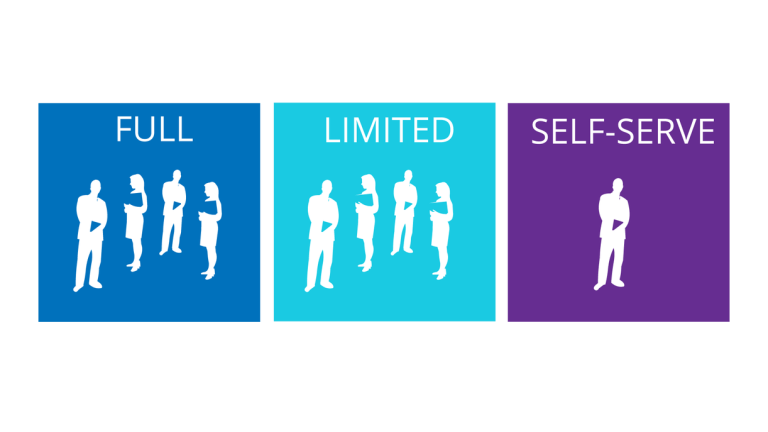
Not every worker needs the same amount of access to AI tools. Take a look at this tiered model:
- General staff can use approved AI tools for low-risk jobs. Managers and analysts may be able to use more advanced tools after getting more training.
- Roles that are sensitive, like law, HR, or finance, may be limited or need extra permission.
- This method lets you balance managing risks with getting work done.
Should Your Organization Restrict or Block AI Tools?
It’s hard to say because the answer depends on your business goals, the type of business you run, and your risk tolerance.
Some businesses, like those in healthcare, banking, or government may decide to stop all AI access on company computers. It’s just too dangerous to risk letting private information get out.
Others might take a more reasonable stance, letting people use approved AI tools in certain situations while putting in place strict rules. For instance, they might let workers use AI to come up with ideas or summarize documents, but they wouldn’t let them share any customer or private data.
Others may be more open to AI and buy enterprise-level platforms with private operations, data encryption and audit trails. The appropriate level of control may also vary by business function. For example, the risks and opportunities associated with AI in accounting differ from those involved in marketing, scheduling, or general administrative work because financial data, reporting accuracy, and professional judgment require additional oversight.
There’s no one answer that works for everyone. But every group should consciously choose something and write it down clearly.
Examples of AI risk in the real world
To understand how important it is, think about these situations:
- Healthcare provider: A nurse uploads PHI to a public platform by accident when she uses an AI tool to recap patient notes. This is against HIPAA and could lead to fines and judicial action.
- Financial firm: To make a report, an analyst copies and pastes client financial data into an AI tool. The information is kept and could be used to train new models, which is against the terms of the deals that keep it secret.
- Tech company: An AI helps a writer fix bugs in code that includes secret algorithms. The code is added to the AI’s training data, which could lead to theft of intellectual property.
These examples are real, not just imagined. They also stress how important it is to have clear rules and technological protections.
AI is a strong tool. It can help workers be smarter, faster and more creative if they know how to use it right. But if there aren’t any clear limits, it can also turn into a big problem.
We need to pay attention to the fact that one in ten AI questions might have private information in them. You can’t just assume that workers will use AI in a smart way. Companies need to be assertive to manage how people use their data, keep it safe and stay ahead of new risks.
Organizations can get more value from AI while reducing risk by establishing clear policies, training employees, strengthening technical controls, and incorporating AI use into their data loss prevention strategy. LBMC’s Data and AI services help businesses evaluate AI opportunities, improve data readiness, establish governance, and implement solutions aligned with security, compliance, and measurable business goals.