Your team may use Dynamics GP every day without using everything available to it. Processes built years ago can become routine, even when employees still spend hours chasing approvals, updating spreadsheets, or preparing the same reports.
A focused review can help identify where GP could handle more of that work.
Start with the tasks that create the most frustration. Then confirm which capabilities are available in your version, included in your licensing, and appropriate for your accounting processes.
Key Takeaways
- Review recurring manual work before purchasing another application or building a workaround.
- GP capabilities for approvals, payments, assets, and reporting may deserve a closer look.
- Select improvements based on business value, implementation effort, and your longer-term ERP plans.
Match GP Features to Your Team’s Daily Challenges
| Your team’s challenge | GP capability to review |
|---|---|
| Approvals require repeated emails and follow-up | Workflow |
| Employees open multiple windows to find routine information | Navigation Lists |
| Asset records and depreciation schedules live in spreadsheets | Fixed Asset Management |
| Vendor payments require substantial check preparation | Electronic Funds Transfer |
| Revenue and expense schedules require recurring manual entries | Revenue/Expense Deferrals |
| The same organization is both a customer and a vendor | Customer/Vendor Consolidations |
| Reports lack the department, location, or project detail leaders need | Analytical Accounting and reporting structure |
Availability and setup requirements vary. Use this list to start a discussion with your GP partner rather than assume every feature is ready to use.
1. Workflow for Approval Processes
When employees track approvals through email chains, it can be difficult to determine who needs to act next.
GP workflow supports defined approval processes for documents, records, and batches. Review whether your existing setup reflects current responsibilities, approval conditions, and notification needs.
Start with one process that creates frequent delays. Document who approves it, what information that person needs, and how exceptions are handled.
If workflow is already configured but notifications are failing, use these Dynamics GP workflow email troubleshooting checks to prepare for a support discussion.
2. Navigation Lists for Routine Tasks
Employees often learn one way to find information and continue using it for years. Navigation Lists offer another way to work with GP records and transactions.
Ask users which information they repeatedly search for and whether a relevant list could reduce the number of windows they open. Access to list windows is controlled through GP security tasks, so include permissions in the review.
A short training session built around actual tasks can be more useful than a broad tour of every menu.
3. Fixed Asset Management
Spreadsheet-based asset schedules can create extra work when purchases, transfers, retirements, and depreciation need to be reflected in GP.
Fixed Asset Management supports asset records and depreciation processing, with integration options for Purchasing and General Ledger. Those connections require appropriate configuration.
Before making changes, ask:
- Where are asset records maintained today?
- Who records additions, transfers, and disposals?
- How are depreciation entries prepared?
- How does the team reconcile asset records to the general ledger?
Use those answers to identify whether the issue is missing functionality, incomplete setup, or an unclear process.
4. Electronic Funds Transfer for Vendor Payments
If your team still prepares a large volume of paper checks, review whether Electronic Funds Transfer for Payables Management fits your payment process.
GP supports EFT file generation, but your bank’s requirements and the file configuration need to be confirmed and tested.
Include vendor banking information, payment approval responsibilities, and bank submission procedures in the review. Payment automation should support the controls your organization needs.
Which GP Improvement Would Make the Biggest Difference?
Bring the recurring task that takes too much time or creates the most rework. LBMC Technology Solutions can review your setup through its Dynamics GP support and maintenance services and discuss practical options.
5. Revenue/Expense Deferrals
Recurring spreadsheets and journal entries may indicate that Revenue/Expense Deferrals deserves a review.
This GP capability supports distributing revenue or expenses over specified periods. Setup includes choices about posting methods and user access.
Have your accounting team define the required treatment first. Then determine whether the software can support the approved process and what review and reconciliation procedures are needed.
6. Customer/Vendor Consolidations
Some organizations buy from and sell to the same business. Managing those relationships separately can create additional reconciliation work.
GP’s Customer/Vendor Consolidations capability supports relationships between customer and vendor records and the transfer of balances between related accounts.
Before using it, confirm the business circumstances, accounting treatment, authorization requirements, and documentation with your finance team.
7. Analytical Accounting and Reporting Structure
When leaders need more detail, the answer may involve how information is captured rather than another spreadsheet.
Review the questions your reports need to answer. Do you need results by department, location, project, or another business category? Are employees entering that information consistently?
Understanding segments and dimensions in Microsoft Dynamics can help frame the conversation about your current reporting structure.
If external files are part of the process, review how your team imports journal entries into Dynamics GP using Integration Manager. Confirm that the process captures the information and validation your reporting requires.
Choose Improvements That Fit Your GP Plans
You do not need to activate every available feature. Prioritize changes that solve a defined problem and justify the effort.
For each proposed improvement, document:
- The problem: What work is delayed, repeated, or difficult to review?
- The expected benefit: What would improve, and how would you measure it?
- The requirements: What licensing, configuration, training, or integration work is involved?
- The owner: Who will maintain the process after implementation?
- The timing: Does the improvement make sense given your ERP plans?
If your organization is also considering hosting or replacing GP, use your Dynamics GP next steps and planning guide to put near-term improvements in context.
Dynamics GP Feature FAQs
Are all these features included in our GP license?
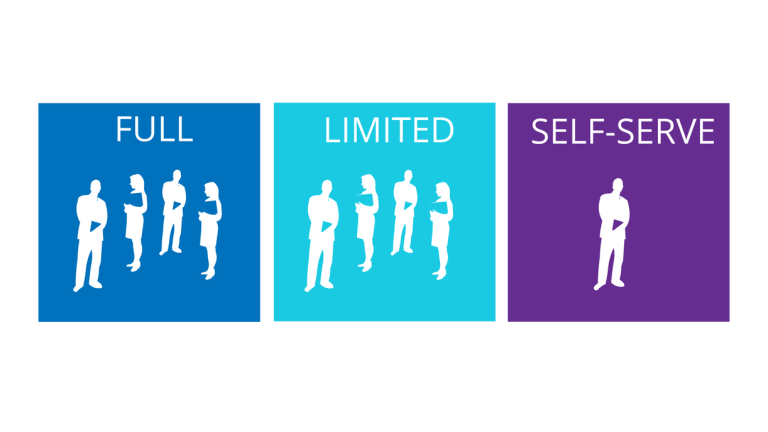
Do not assume they are. Confirm your version, registered modules, and agreement with your partner. These GP user types and licensing considerations can help prepare questions about access and entitlements.
Can we enable a feature without changing our processes?
Some capabilities require configuration, training, and changes to responsibilities. Define the process and test it before introducing it into daily work.
Which feature should we review first?
Start with a recurring task that causes measurable delays or rework. Confirm the cause before selecting a software solution.
Should we invest in improvements if we plan to leave GP?
Evaluate the benefit against the cost and expected time remaining on GP. Training, process documentation, and data cleanup may help current operations while also supporting transition planning.
Ready to Get More From Your Existing GP Setup?
Tell us where your team relies on spreadsheets, manual follow-up, or repeated data entry. We can review the process and discuss which GP capabilities are worth evaluating.